Answers to some of the most frequently asked questions. If you’re an existing customer, you might find our Help Centre and API docs of more help.
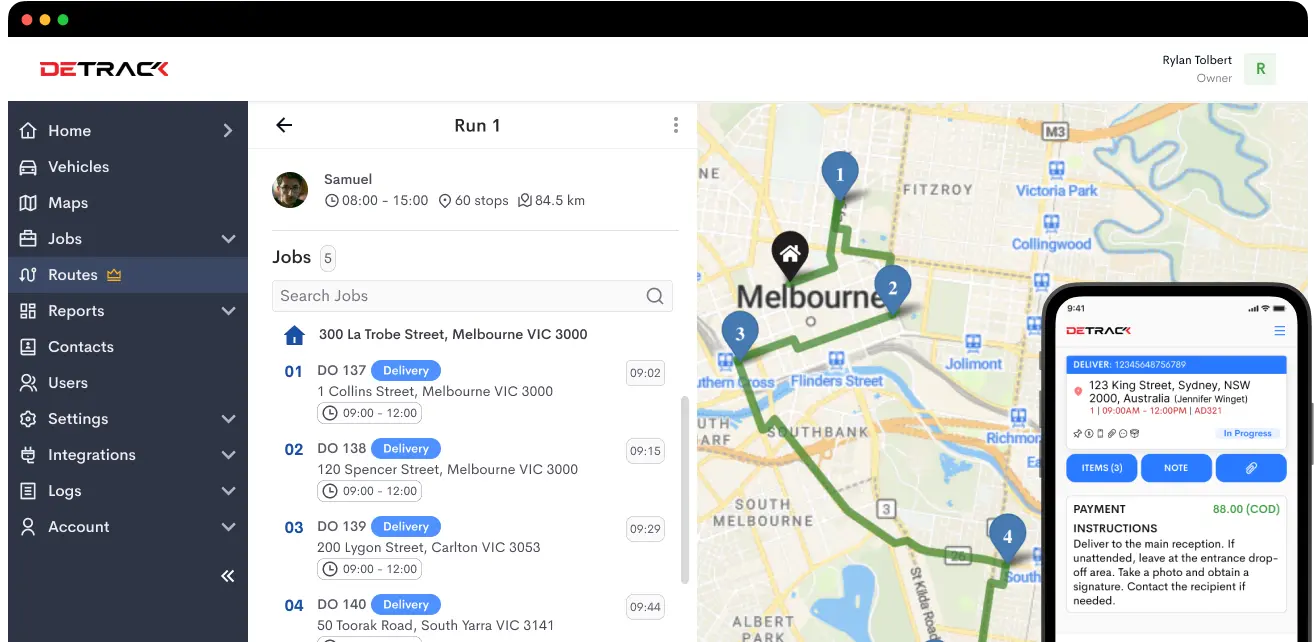
Detrack is a delivery management platform that helps businesses streamline their operations from dispatch to proof of delivery. Drivers use the Detrack Driver App to receive jobs, capture ePODs (electronic proof of delivery), and update delivery statuses in real time. Meanwhile, dispatchers and managers can track progress, optimize routes, and keep customers informed, all through a simple web or mobile interface.
Detrack is designed for businesses of all sizes that handle deliveries or field operations. This includes couriers, retail and e-commerce businesses, B2B field service providers, and any company that needs real-time visibility, route optimization, and efficient proof of delivery.
You can invite drivers through the Admin Dashboard by creating sub-user accounts and assigning permissions. Drivers simply install the Detrack Driver App on iOS or Android, and you can start assigning jobs and vehicles to them through the dashboard.
Yes. Bulk import jobs using CSV or Excel files directly from the dashboard. For Google Sheets users, you can use our Zapier integration to automatically sync new rows into Detrack as jobs, reducing manual effort.
Our technical support team is on standby 24 hours a day, 5 days a week. New users can also reach out to our friendly sales and demo team for guidance, training, and help setting up your account.
Yes. Each driver needs a smartphone so they can receive jobs, capture ePODs, and update delivery statuses throughout the day.
No. Detrack is designed to work with the devices you already have. All you need is a smartphone for each driver and a computer or tablet for dispatchers. There’s no specialised hardware, scanners, or expensive equipment required.
Yes. The Detrack Driver App can work offline. Drivers can continue capturing photos, signatures, and delivery updates even without an internet connection. Once the device goes back online, all data will automatically sync to the system.
Yes. As long as your current system can export CSV or Excel files, you can map fields and bring your jobs, customers, or order data straight into Detrack.
Yes. You can add your logo, adjust job forms, tailor notifications, refine routes, and set permissions so Detrack fits your workflow perfectly.
The Detrack Dashboard (V4) is available in 16 languages: English (US), 简体中文, 繁體中文 (香港), Bahasa Melayu, Bahasa Indonesia, Español, 日本語, Deutsch, Français, Suomen Kieli, Tagalog, ภาษาไทย, Tiếng Việt, 한국어, Dutch, and Русский.
The Detrack DriversApp supports 23 languages on both Android and iOS: Bahasa Melayu, Bahasa Indonesia, 简体中文, 繁體中文, Traditional Chinese (Hong Kong), Traditional Chinese (Taiwan), Italiana, Español, Français, Nederlands, Latviski, Português, Brazilian Portuguese, Tagalog, 日本, Tiếng Việt, Burmese, ខ្មែរ, Ελληνικά, Suomalainen, แบบไทย, and Deutsch.
Pricing is per active driver license, billed monthly. The Pro plan is US$29 per license/month, and the Advanced plan with route optimization is US$39 per license/month. Annual plans offer a discount compared to monthly billing.
Yes, we provide 14 days, no credit card needed. You get up to 3 drivers and 10 sub-users, plus most Pro features, so you can fully explore the platform.
Detrack does not charge any additional fees for SMS notifications. You simply connect your own account with a third-party provider like Twilio, and pay that provider directly at their standard messaging rates.
Yes, we offer a 10% discount on the total subscription for customers who choose annual billing.
Yes. You can upgrade or scale driver licenses anytime, and billing will be prorated. Switching between monthly and annual plans is also flexible.
The Detrack Driver app supports Android 7.0 or newer and iOS 16.0 or newer. Drivers will also need at least 200 MB of free storage, a stable internet connection (mobile data or WiFi), and GPS enabled for live tracking. On Android, Google Play Services must be installed and up to date.
For the full list of requirements and recommended setup tips, see our help center article.
The Detrack Drivers App is available in 23 languages on both Android and iOS: Bahasa Melayu, Bahasa Indonesia, 简体中文, 繁體中文, Traditional Chinese (Hong Kong), Traditional Chinese (Taiwan), Italiana, Español, Français, Nederlands, Latviski, Português, Brazilian Portuguese, Tagalog, 日本, Tiếng Việt, Burmese, ខ្មែរ, Ελληνικά, Suomalainen, แบบไทย, and Deutsch.
The Detrack driver app has been optimized to minimize mobile data consumption while maintaining a responsive user experience.
For a driver completing 50 deliveries per day, typical usage ranges from around 175MB to 725MB per month, depending on hours worked and days active. Even in the heaviest usage scenario — 24 hours per day over a full 31-day month — data usage should not exceed 1GB. Most drivers will fall well below that threshold, making the Detrack driver app practical, and cost effective, even in regions where 3G, 4G, or 5G data can be expensive.
Yes, drivers can take up to 10 photos per job, add notes, and record item-level details for comprehensive proof of delivery.
Drivers select a reason from a pre-configured list for failed deliveries. Dispatchers can then reschedule or reassign jobs, and the full history is preserved.
Detrack does not include live chat. Instead, you can use SMS, calls, or your preferred messaging tool. All job-related updates, notes, and POD data are logged for audit purposes.
ePOD is a digital replacement for paper delivery dockets. Drivers capture time-stamped, geotagged records with signatures, photos, notes, and barcode scans. Data uploads instantly to the cloud for your team and optionally your customers, reducing delays, lost paperwork, and disputes.
You can capture signatures, up to 10 photos per job, and timestamps as proof of delivery, ensuring every delivery is fully documented and easy to verify for both your team and your customers.
Yes. You can add your logo, select which fields to show, rename columns, include terms, or add job-related charges to match your brand and internal needs.
All paid plans store data for up to 5 years, ensuring access to historical records.
Enable the “Payment Amount” field in Account Settings. Drivers record collected cash or other payments at delivery, and reports allow easy reconciliation by driver, date, or customer.
You can share branded SMS or email notifications with a “Tap-to-Track” link showing live driver location and ETA. You can also embed a tracking widget on your website for a seamless experience.
Yes. You can build custom rules to automatically send notifications based on job status, e.g., “Scheduled,” “Heading-To,” or “Completed.”
ETA accuracy depends on traffic, job times, and driver behavior. Use Live ETA features, geocoded addresses, prompt driver updates, and route re-optimization for the best results.
Pre-delivery instructions should be added to the job record for drivers. Rescheduling or two-way communication can be handled via your support flow or through Detrack API/webhooks.
Yes. The Advanced plan includes built-in route optimization, sequencing jobs efficiently based on distance, travel time, and driver capacity to save fuel and maximize deliveries.
You can set delivery time windows, vehicle capacities, driver skills, and geographic zones. We also have custom fields which allow more specialized constraints like certifications or hazardous material handling.
Yes. You can assign high-priority jobs or lock sequences to preserve the desired order, even with optimization enabled.
The Reports & Analytics can be used to generate job summaries, driver mileage, and failed delivery reports. Export to CSV, Excel, or PDF for further analysis or sharing.
Detrack connects with Shopify, Woo, Shopee, Xero, Quickbooks, MYOB, Aftership, MachShip, Frameworks, WhatsApp, Vonage, Twilio, 8×8, Kudosity, BulkSMS, ReplyX, Exotel, and Link Mobility.
Yes, a full-featured REST API allows two-way integration. No special SDKs are needed, just standard HTTP and JSON requests.
Webhooks send real-time job updates to your system when key events occur, like “Delivered” or “Failed,” automating alerts and status updates.
Yes. Detrack offers a 14-day free trial with full access to integrations, API, webhooks, and Detrack Connect with no credit card needed. You can test real-world use cases such as Shopify sync, QuickBooks connections, or SMS notifications with full live chat support.
Create your Detrack account, set up drivers and vehicles, then connect your integrations. Most authorize in minutes. You can run both systems in parallel for a day or two, import data via CSV if needed, and train drivers quickly. Most migrations take 1–3 days, with support available for setup and data transfer.
You’ll receive email and dashboard alerts for any errors. Issues are often due to expired tokens or credential changes and can be fixed with a quick re-authorization. Webhooks include retry logic, and Detrack’s support team can help resolve problems fast. Historical data remains unaffected.
Data is hosted on Amazon Web Services (AWS) with multi-layer protection, redundant backups, and automated recovery systems.
All data is encrypted with TLS in transit and encrypted at rest in our databases and backups.
Paid plans retain data for up to 5 years. If you terminate your account, data is scheduled for deletion from active systems, and backups are purged according to our policy.
Admins can enforce Two-Factor Authentication (2FA) for extra security. Single Sign-On (SSO) is not currently available, but check support for enterprise updates.
It only takes a few minutes to add your drivers, upload or create jobs, and start branding your customer communications.